HP's New Omnibook X Proves Boring Can Be Brilliant
With Intel's fastest mobile silicon, a stunning OLED panel, and zero gimmicks, HP's latest ultraportable champions substance over flash in a laptop market drowning in convertibles and party tricks.
The Case for Doing Less
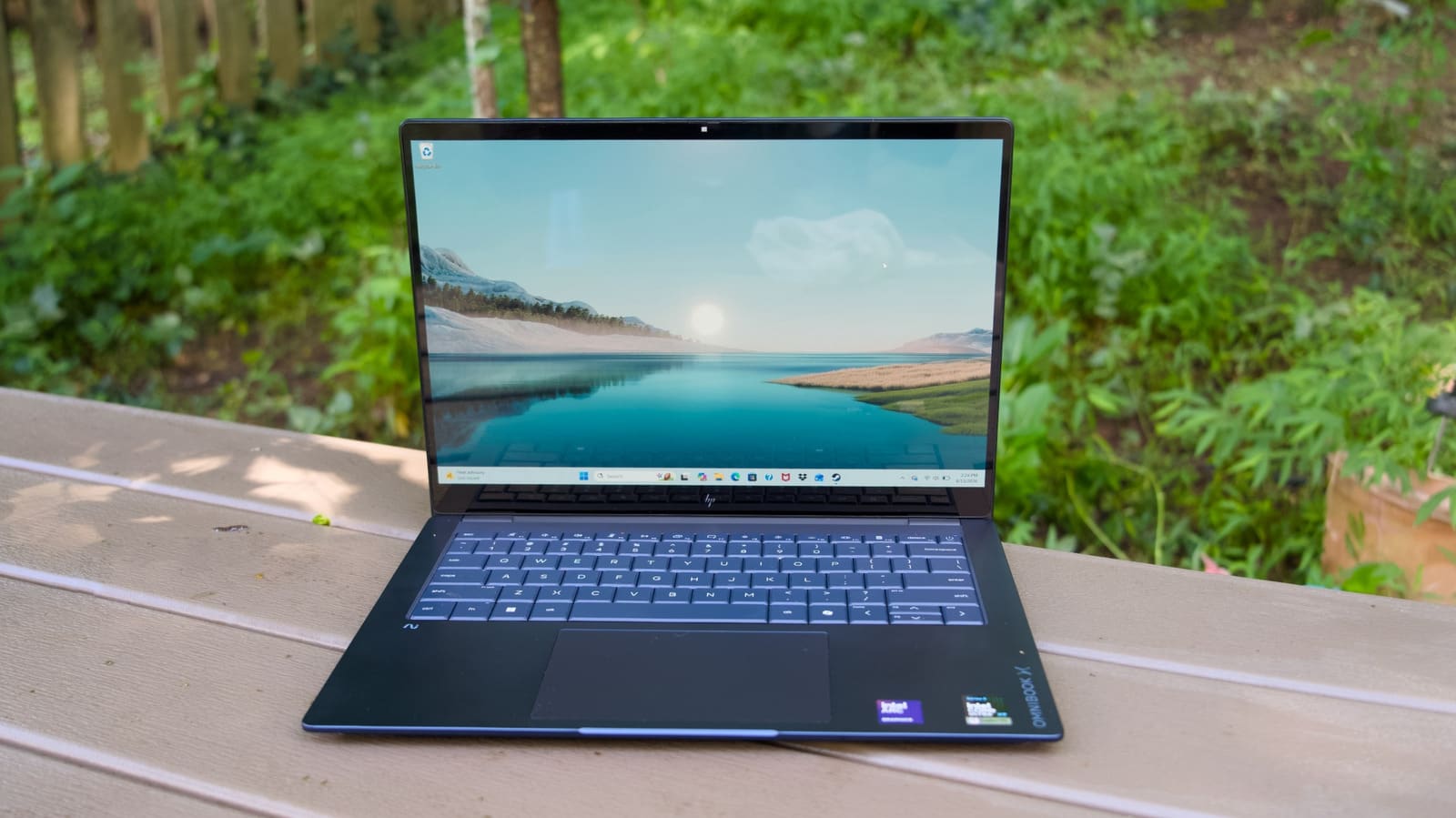
When HP launched the Omnibook X into a market saturated with convertibles, 2-in-1s, and laptops that fold into origami shapes, the company made a peculiar choice: it built a normal laptop. No rotating hinges. No pursuit of record-breaking thinness. Just a 14-inch aluminum notebook that weighs 2.9 pounds, measures 12.6mm thick, and does exactly what professionals need without apology.
That restraint turns out to be the machine's greatest strength. At DailyTechWire, we've tracked the escalating arms race in ultraportable design, where differentiation often trumps usability. The Omnibook X reverses that logic. Its anodized aluminum chassis feels substantial rather than precious. The 16:10 touchscreen doesn't flip backward. The keyboard is just a keyboard, not a lattice-free art project that sacrifices key travel for aesthetics.
The starting configuration, currently available for $900, pairs Intel's Core Ultra 5 processor with 16GB of RAM and a 2K IPS display. HP also offers Core Ultra 7 and X9 variants, with the flagship X9 model packing 32GB of integrated memory and a 3K OLED panel that hits 1,100 nits in HDR and 500 nits in standard dynamic range. That top-tier OLED option also runs at 120Hz and covers the full DCI-P3 color gamut, a spec sheet that reads more like a color-critical workstation than a general-purpose ultraportable.
Intel's Core Ultra X9 in Practice
The X9 chip inside the review configuration is a 16-core processor paired with Intel's Arc B390 integrated GPU. In PCMark 10, the Omnibook X posted the highest score among Windows ultraportables tested this year, a lead it held across multi-threaded workloads involving simultaneous browser sessions, large-scale photo edits, and 4K timeline scrubbing. Geekbench 6 results were similarly strong, trailing only the Omnibook Ultra, which uses the same silicon in a thinner chassis with different thermal constraints.
The Arc B390 GPU proved surprisingly capable. Running Cyberpunk 2077 at 1080p with high settings and Intel's XeSS frame generation enabled, the machine averaged 81 frames per second. Enabling the low ray tracing preset dropped that figure to 45 fps, still playable for a GPU that shares its thermal budget with the CPU. In 3DMark Wildlife Extreme, the Omnibook X outpaced other Intel and AMD ultraportables but fell behind the Snapdragon X2-powered ASUS ZenBook A16, a result that highlights Qualcomm's recent gains in integrated graphics performance.
For creative workflows that leverage GPU acceleration - video encoding, AI inference, or real-time effects rendering - the Arc B390 offers meaningful advantages over previous-generation Intel integrated graphics. It also makes lightweight 1080p gaming viable, with titles like Arc Raiders and Overwatch 2 running smoothly.
Display and I/O Choices That Matter
The 3K OLED panel is the standout hardware decision. OLED's per-pixel lighting delivers the deep blacks and high contrast ratios that make HDR content pop, but more importantly, it provides accurate color reproduction for anyone working with visual media. The 16:10 aspect ratio adds vertical real estate compared to traditional 16:9 panels, a small change that compounds over hours of document editing or code review.
HP also offers 2K IPS and 2K OLED alternatives, both non-touch and with lower peak brightness. The 3K OLED costs an additional $90 when paired with the X9 chip, a premium that's justified if screen quality matters to your workflow.
Port selection is equally pragmatic. Both sides of the chassis house USB-C and USB-A ports, with an HDMI output and headphone jack rounding out the connectivity. The only notable omission is an SD card reader, a puzzling choice given the Omnibook X's positioning toward creative professionals who still shoot on dedicated cameras. The chassis has room on either side; the slot simply isn't there.
Where HP Cut Corners (Slightly)
The dual downward-firing speakers are the machine's clearest compromise. They're adequate for video calls and casual media playback but lack the spatial depth of the quad-speaker arrays Dell and Apple build into their premium ultraportables. Audio quality is serviceable, not memorable.
The 5-megapixel webcam, by contrast, punches above its weight class. Image quality during video calls showed strong color accuracy and sharpness, with enough dynamic range to handle mixed lighting conditions without washing out highlights or crushing shadows.
Battery life in PCMark 10's Modern Office benchmark reached 18 hours and 25 minutes, over an hour shorter than the Omnibook Ultra but still enough for two full workdays. HP claims up to 29 hours under ideal conditions, a figure that likely assumes aggressive power management and lighter workloads. The bundled 65W GaN charger restores 50 percent capacity in 46 minutes, close to HP's 45-minute claim.
Keyboard and Trackpad Execution
The keyboard offers satisfying travel and tactile feedback without the mushiness that plagues many thin ultraportables. HP avoided the lattice-free layout Dell introduced on recent XPS models, a design choice that prioritizes aesthetics over typing comfort. The Omnibook X's key spacing and actuation force feel natural after years of traditional layouts, requiring no adjustment period.
The haptic trackpad is equally well-executed. Unlike mechanical trackpads with discrete click zones, haptic pads use vibration motors to simulate clicks, making the entire surface responsive. There are no moving parts to wear out, and the tracking precision rivals Apple's Force Touch implementation. After testing the XPS 13's more dated mechanical pad, the Omnibook X's haptic surface felt like a generational leap.
Pricing Strategy and Configuration Tradeoffs
The $900 entry price positions the base Omnibook X competitively against Dell's XPS 13, which requires a $900 configuration to match 16GB of RAM but delivers a less robust build. Stepping up to the Core Ultra 7 chip costs an additional $190, or $360 if you also want 24GB of memory.
The flagship X9 configuration, however, adds $1,030 to the base price - the cost of another mid-range laptop. That premium buys you the fastest mobile Intel silicon currently available and 32GB of integrated RAM, but it only makes economic sense for professionals who can justify the expense through measurably faster render times or the ability to run more simultaneous workloads. For general productivity, the Core Ultra 5 or 7 will handle the same email, spreadsheet, and web workloads without perceptible slowdowns.
The Unremarkable Design Advantage
The Omnibook X doesn't photograph well. Its aluminum chassis is handsome in person but reads as generic in product shots, lacking the distinctive design language of a Spectre x360 or the minimalism of a MacBook Pro. In a market where laptops are often sold on Instagram, that visual anonymity is a liability.
But it's also a feature. The Omnibook X won't draw attention in a conference room or airport lounge. It doesn't scream "creative professional" or "gamer" or any other tribal affiliation. It's a tool that gets out of its own way, and in an industry obsessed with differentiation, that restraint feels almost radical.
The machine's weight and thickness strike a similar balance. At 2.9 pounds and 12.6mm, it's noticeably lighter than Apple's 14-inch MacBook Pro (3.4 pounds) but not so thin that structural rigidity suffers. You can pick it up with one hand without worrying the chassis will flex. The hinge is stiff enough to hold the screen at any angle without wobble.
Who This Laptop Is For
The Omnibook X targets a specific buyer: someone who needs a reliable ultraportable for professional work and doesn't care about convertible tricks or gaming RGB lighting. It's the laptop you buy when you're tired of gimmicks and just want a machine that boots quickly, types well, and displays accurate colors.
That profile skews toward knowledge workers, developers, writers, and creative professionals who prioritize screen quality and keyboard comfort over GPU horsepower or stylus support. If your workflow involves long typing sessions, frequent video calls, and occasional photo or video editing, the Omnibook X handles all of it without drama.
The integrated Arc B390 GPU also makes the X9 configuration viable for lighter creative work that benefits from hardware acceleration - applying filters in Photoshop, scrubbing 4K timelines, or running local AI models. It's not a replacement for a dedicated workstation GPU, but it's enough to keep most workflows moving without constant rendering delays.
The Broader Trend Toward Simplicity
HP's decision to strip away convertible features and focus on core competencies mirrors a larger shift in the ultraportable market. After years of experimentation with folding screens, detachable keyboards, and ever-thinner profiles, some manufacturers are rediscovering the appeal of straightforward clamshell laptops that just work.
That trend is partly driven by enterprise buyers, who value reliability and serviceability over novelty. But it also reflects growing skepticism among consumers about features that add cost and complexity without meaningfully improving daily use. A rotating screen sounds useful in theory, but how often do you actually flip your laptop into tablet mode? For most people, the answer is rarely or never.
The Omnibook X bets that most buyers would rather have a better keyboard, a brighter screen, and more ports than a hinge that rotates 360 degrees. Early sales data and configuration trends will reveal whether that bet pays off, but the machine's strong benchmark performance and competitive pricing give it a solid foundation.
Final Assessment
The Omnibook X succeeds by doing fewer things better. It doesn't try to be the thinnest, lightest, or most convertible ultraportable on the market. Instead, it delivers a well-balanced machine with a premium OLED display, fast Intel silicon, excellent input devices, and enough ports to avoid dongle hell.
Its visual anonymity might hurt showroom appeal, but it's an asset in professional settings where you want your work, not your hardware, to stand out. And at $900 for the base configuration, it undercuts competitors that offer less RAM and inferior build quality at similar prices.
For anyone shopping for an ultraportable who's tired of chasing the latest hinge innovation or record-breaking thinness, the Omnibook X offers a refreshing alternative: a laptop that's just a laptop, executed with unusual care.