Android 17 Brings Floating Windows, Gamepad Layouts and Smarter App Permissions
Google's latest mobile OS introduces multi-window bubbles, foldable-optimized gaming, and granular security controls as it begins rolling out to Pixel devices today.
Pixel Handsets Lead the Rollout
Android 17 began reaching Pixel devices today, with wider availability scheduled across the Android ecosystem throughout the remainder of the year. The release introduces a handful of interface changes aimed at large-screen devices and foldables, plus security refinements that give users finer control over what data leaves their phones. At DailyTechWire, we've tracked Android's evolution toward multi-window workflows since Samsung and Huawei began shipping foldables in 2019; this update marks the first time the OS treats floating windows as a system-wide primitive rather than a manufacturer add-on.
Alongside the OS itself, Gemini Intelligence - a context-aware assistant capable of chaining together multi-step tasks - will arrive on select high-end devices this summer, according to the company. The exact device list and regional availability remain unspecified, but the timing suggests a staged rollout tied to flagship launches in the second half of 2026.
Bubbles: Every App Can Float
The headline interface change is Bubbles, a feature that converts any application into a persistent floating window. Long-pressing an app icon now spawns a draggable bubble that hovers above other content, letting users monitor information from three apps simultaneously: the main full-screen application, plus two additional bubbles.
On devices with screens larger than seven inches - such as the Samsung Galaxy Fold and Pixel 10 Pro Fold - a dedicated bubble bar appears along the bottom edge. Docked bubbles sit in this bar, and a single tap switches focus between them. Users can resize bubbles or expand them to fill the entire display without closing other apps. The approach resembles Picture-in-Picture but extends the concept to any app, not just video players.
The implementation diverges from Samsung's existing Multi Window and Xiaomi's floating-window systems by treating bubbles as a first-class OS feature rather than a launcher tweak. That uniformity should help developers optimize layouts without testing against half a dozen proprietary windowing APIs, though adoption will still depend on how aggressively app teams update their manifests to handle resizable views.
Gaming Mode Tailored for Foldables
Foldable owners gain a new gaming mode that splits the unfolded screen into equal halves: game viewport on top, virtual gamepad below. The 50/50 layout is designed to eliminate the awkward thumb reach that plagues full-screen controls on eight-inch displays. Players using a Bluetooth or USB controller can remap buttons natively within the OS, bypassing per-game settings menus.
Under the hood, memory cleanup routines have been rewritten to prioritize high-definition gaming workloads. The changes aim to reduce frame drops and input lag by evicting background processes more aggressively when a game is in focus. Google has not published benchmark data, but the phrasing suggests the kernel's low-memory killer now recognizes GPU memory pressure as a trigger, a shift that could benefit devices with shared memory architectures.
The gaming enhancements arrive as foldable shipments in Asia approach ten million units per quarter, according to IDC. Samsung and OPPO have led that growth, but Pixel's entry with the 10 Pro Fold has pushed Google to treat large-screen gaming as a platform concern rather than an OEM differentiator.
Screen Recording Meets the Selfie Camera
Screen Reactions merges the front-facing camera feed with screen capture, recording both the display and the user's face in a single video file. The feature targets creators who produce reaction content for TikTok, Instagram Reels, and YouTube Shorts - formats that have driven mobile video uploads to more than four billion clips per day across those three platforms.
The implementation writes a composite stream directly to disk, avoiding the need to layer two recordings in post-production. Users tap a new toggle in the screen-recording panel to enable the selfie overlay, then choose whether the face appears in a corner bubble or as a split-screen element. The export format is standard MP4, compatible with most social-media upload pipelines without transcoding.
By embedding the functionality at the OS level, Android 17 undercuts third-party screen-recorder apps that have monetized the same workflow through subscriptions and ad-supported tiers. It also signals that platform holders now view creator tools as essential system services, much like photo editing and voice typing.
Granular Permissions for Location and Contacts
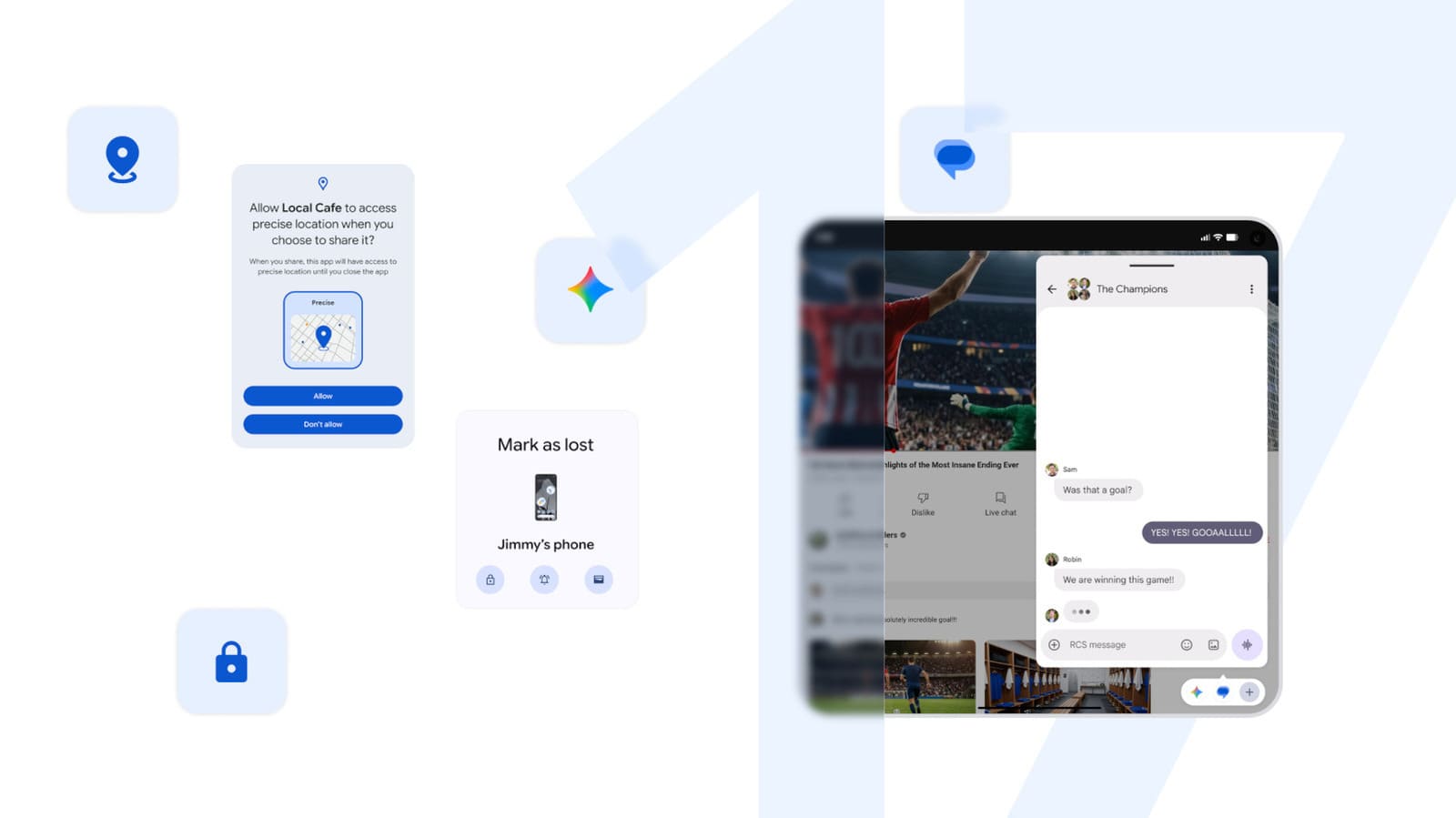
Android 17 introduces two new permission tiers that sit between "allow" and "deny." Apps can now request temporary location access, which expires when the user closes the app or after a system-defined timeout. A second control lets users share a subset of contacts rather than granting blanket access to the address book. Both changes address long-standing privacy complaints: mapping apps that cache location history indefinitely, and social networks that upload entire contact lists to match users with friends.
The contact selector presents a searchable list with multi-select checkboxes. Once confirmed, the OS creates a sandboxed contact provider that surfaces only the chosen entries to the requesting app. If the user later revokes the selection, the app's contact cache is flushed on next launch. The mechanism mirrors iOS 15's contact-picker behavior, closing a gap that privacy advocates have highlighted since 2021.
Temporary location access relies on a foreground-service flag; apps lose the permission as soon as they move to the background unless they hold a persistent notification. Navigation and ride-hailing apps will need to maintain visible notifications during trips, a trade-off that increases status-bar clutter but makes tracking more transparent.
Enhanced Anti-Theft and Device Recovery
Find Hub - the rebranded successor to Find My Device - gains a "Mark as lost" mode that remotely locks a missing phone using stored biometric hashes. Even if an unauthorized user enters the correct PIN, the lock screen will refuse to unlock until the owner authenticates via fingerprint or face scan through the Find Hub web interface or a secondary device. The feature requires a server round-trip to validate the biometric challenge, meaning offline phones remain locked but cannot be remotely unlocked until they reconnect.
Live Threat Detection, Android's on-device malware scanner, now blocks a broader set of suspicious applications before installation. Google has not detailed the new heuristics, but the update likely expands static analysis to cover obfuscated DEX bytecode and native libraries, areas where sideloaded malware has historically evaded detection. The system also limits PIN-guessing attempts by increasing the delay between failed tries - first to thirty seconds, then exponentially - and capping total attempts before triggering a factory-reset warning.
Pixel-Exclusive Tools Expand Across the Lineup
Several features that debuted on the Pixel 10 series are now rolling out to mid-range and older models. Conversational editing in Google Photos arrives on the Pixel 10 Pro, 10 Pro XL, 10 Pro Fold, and 10a in Germany, the United Kingdom, France, Spain, and Italy. The tool interprets natural-language requests - "brighten the sky," "remove the person in the background" - and applies edits without requiring users to navigate menus. The feature runs on-device using a fine-tuned vision-language model, which explains the Pixel 10 hardware requirement and the initial restriction to five European markets where the model has been localized.
Voice translate, previously exclusive to the Pixel 10 line, now supports the Pixel 10a. The capability uses speaker diarization and neural voice cloning to translate each caller's speech in a synthesized version of their own voice, preserving tone and cadence. The processing latency averages one to two seconds per phrase, according to internal Google benchmarks shared with carrier partners earlier this year.
Android Quick Share - Google's answer to AirDrop - has been extended to the Pixel 9a and Pixel 8a, enabling file transfers between those devices and iPhones. The feature was limited to Pixel 10 models at launch in March 2026, but the expansion suggests Google has resolved the Bluetooth Low Energy handshake issues that initially prevented older Pixel radios from maintaining stable connections with iOS devices.
Magic Cue, the AI assistant that surfaces contextual information from messaging apps, now pulls data from a wider range of platforms beyond the initial support for Messages, WhatsApp, and Telegram. The update likely includes Signal and WeChat, based on API access requests Google filed with both services in the first quarter of 2026, though the company has not published a definitive list.
Emergency Sharing Across Pixel Watch Features
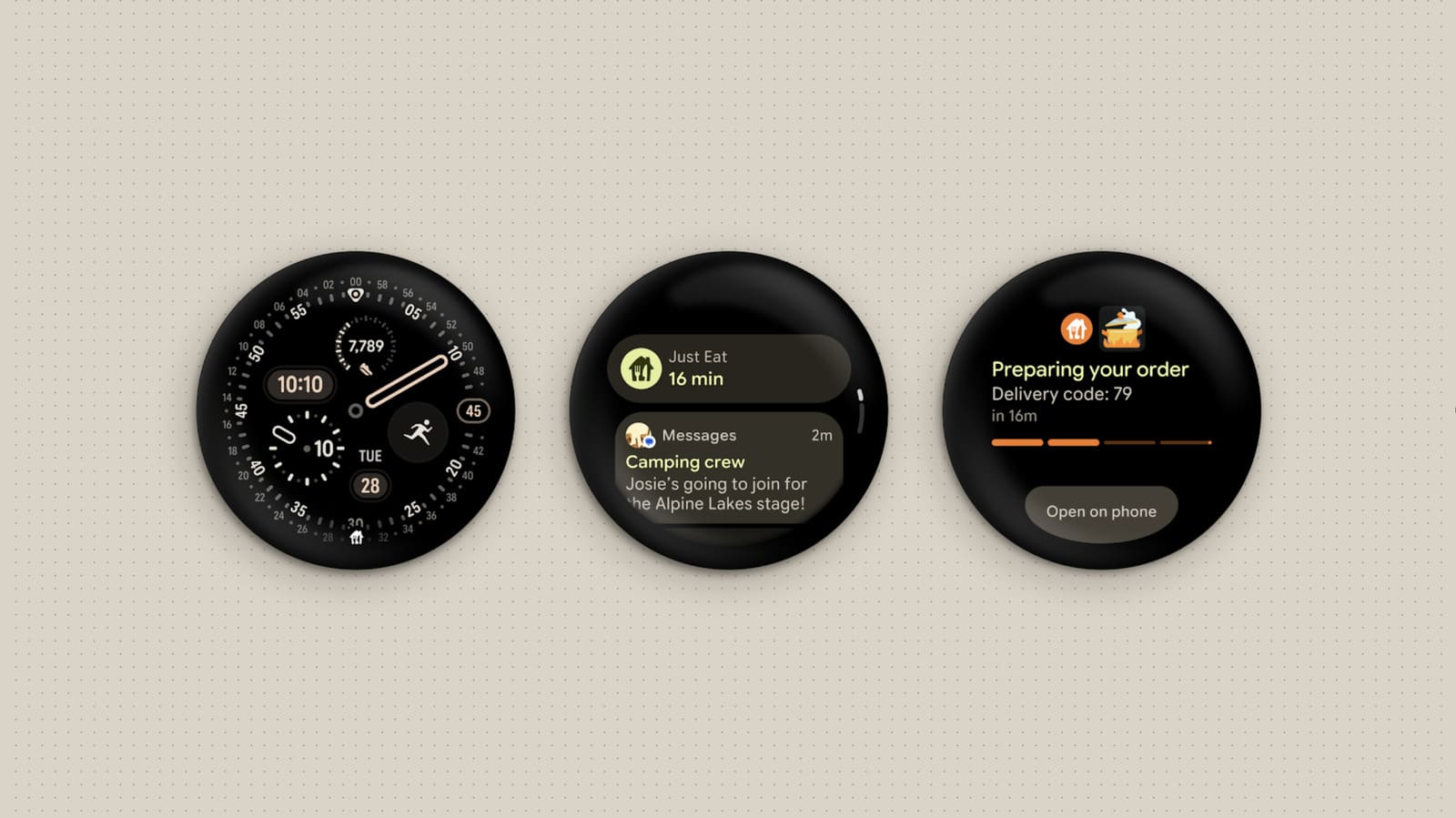
Pixel Watch integration tightens with the addition of Emergency Sharing to Car Crash, Fall, and Loss of Pulse Detection. When the watch identifies a severe event, it triggers an automatic call to local emergency services and sends location and health data to pre-selected contacts. The feature relies on the watch maintaining a Bluetooth or LTE connection to the paired phone; standalone operation over the watch's cellular radio is supported on models with active service plans.
The consolidation of emergency features under a single framework simplifies setup and reduces the risk that users overlook critical settings buried across multiple apps. It also positions the Pixel Watch as a health-monitoring device that competes more directly with Apple Watch's fall-detection and ECG capabilities, a market segment where wearable unit sales exceeded sixty million in 2025.
What the Update Signals for Android's Trajectory
Android 17's focus on windowing, permissions, and foldable-specific layouts reflects Google's recognition that the smartphone category has fragmented into at least three form factors - slabs, foldables, and tablets - each demanding distinct interaction models. By embedding Bubbles and the gaming split-view at the OS level, the company reduces the customization burden on manufacturers and gives developers a stable target for multi-window design.
The security and privacy controls acknowledge that regulatory pressure in the European Union, India, and South Korea has made opt-in permissions and data minimization table stakes for any platform shipping in those markets. Temporary location access and selective contact sharing are both features that privacy regulators have recommended in public consultations over the past two years; their inclusion suggests Google is moving ahead of mandates rather than waiting for enforcement.
The staggered rollout - Pixel devices first, broader ecosystem later - follows the same pattern Android has used since version 12. Pixel hardware serves as a reference platform, absorbing early bug reports and compatibility issues before the update reaches Samsung, Xiaomi, OPPO, and other OEMs that together account for more than eighty percent of Android's global install base. Historically, it takes four to six months for a new Android version to reach half of active devices; Android 17 will likely follow a similar curve, with flagship models receiving updates in the third quarter and mid-range devices trailing into early 2027.
For developers, the message is clear: multi-window and resizable UI are no longer optional. Apps that hard-code portrait layouts or ignore configuration changes will render poorly in bubbles and foldable gaming mode, pushing teams to adopt responsive-design patterns that have been best practice on tablets since Android 12L. The shift will accelerate the maturation of Android's large-screen ecosystem, but it also raises the testing overhead for studios that have historically treated tablets and foldables as secondary targets.
At DailyTechWire, we'll continue monitoring adoption metrics and developer uptake as Android 17 reaches devices across Asia and beyond. The success of features like Bubbles and the foldable gaming mode will ultimately depend on whether users discover them - and whether app developers optimize their experiences to take advantage of the new windowing capabilities.